Showing posts with label Learn. Show all posts

Saturday, 7 June 2014

Microsoft Excel Tips and Tricks - Calculator

When it comes to Excel many people make faces. In fact even I used to make faces. However as it is said, "Necessity is the mother of all inventions", it became so that my work life was in and around Excel. This gave me an advantage to learn a few good tricks in Excel.Let me tell you, Microsoft Excel has come a long way and has developed into very powerful tool. From simple tables to complex database it can do a lot. 

For now just a simple trick which works well in Microsoft Excel 2010 and onwards.

If you are a person who loves to use Windows calculator while using Excel this will come definitely handy.

Adding Calculator Button to Quick Access Toolbar
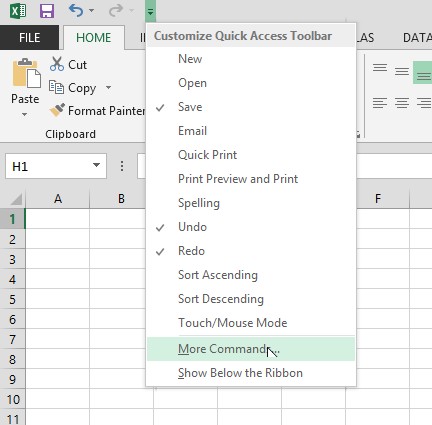
Navigate and click the down button at the end of the Quick Access toolbar and click More Commands as shown below.
Image of Quick Access Toolbar
Quick Access Toolbar

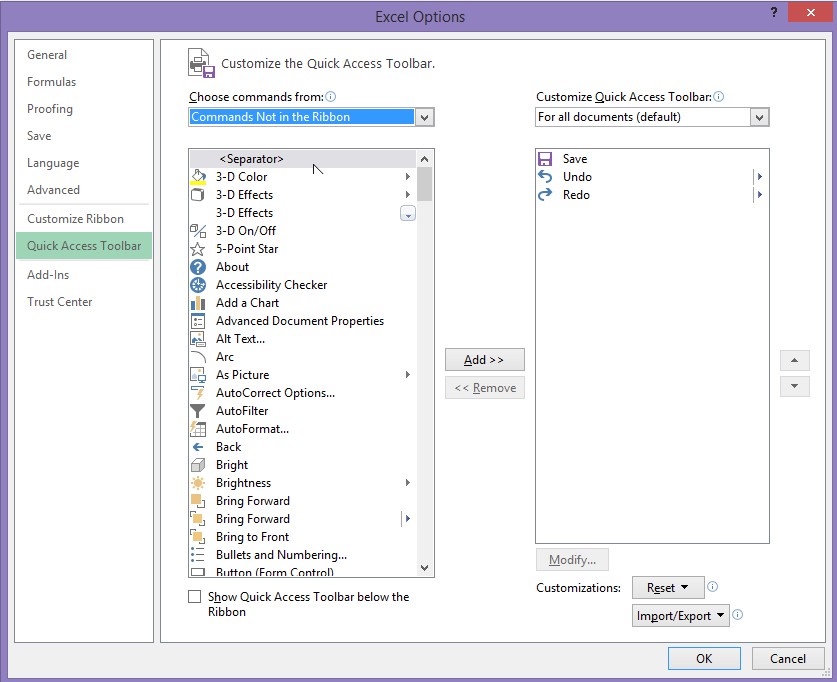
This will take you to customise your Quick Access Toolbar. From the box on the top "Choose Commands from" select, "Commands not in the ribbon" as shown below.
Customise Quick Access Toolbar
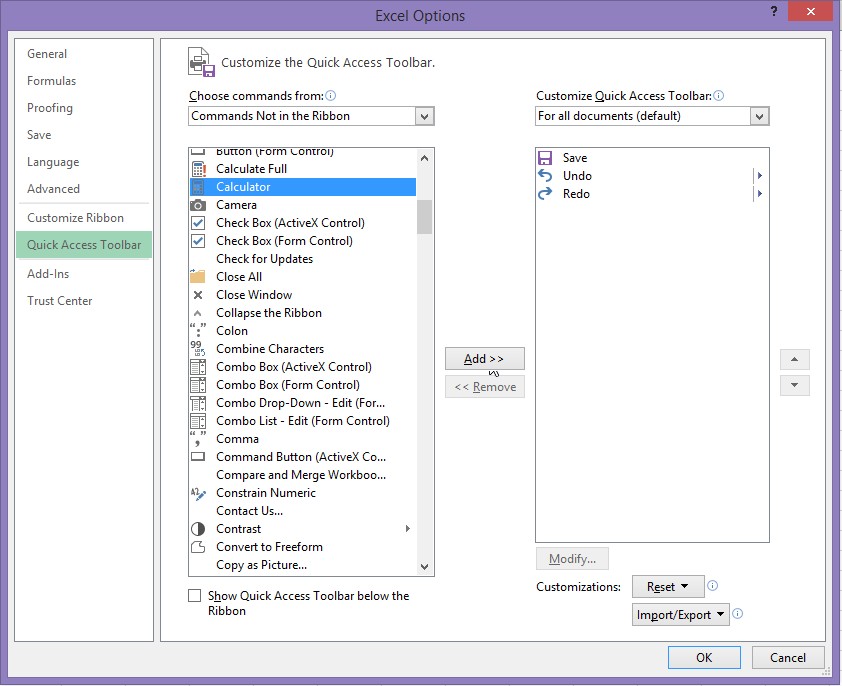
From the list, scroll down until you see "Calculator". Select it and then click on Add button. Now click Ok as shown below.
Adding Calculator to Ribbon
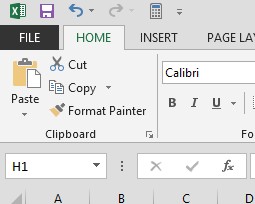
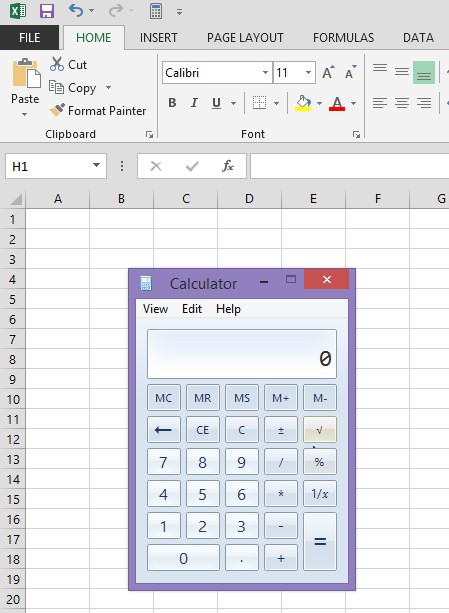
Bingo! There you have it, Calculator button in the Quick Access Toolbar ribbon. So now when you are working with figures in Excel and would like  a quick calculation, you don't have to go and find your physical calculator, phone or go looking for Calculator application from Start Menu. You have right at your finger tips. 
Calculator in Quick Access toolbar 
Activated Calculator


I hope you found this tip useful. Keep checking my blog for more computing tips and tricks. If you like to know something, please put in your request in the comment section and I will answer your query in my future blogs. 

Remember Compute, Create, Cook is all about learning something new and sharing. So until next time... Happy Computing!

Tuesday, 3 June 2014

Compute Create Cook

What is it all about? 

Well for me it is 3Cs, my passion. My passion with computers, my passion with graphic and web designing and my passion for cooking. I always wanted to combine these three into one single domain and hence we have my blog - "Compute Create Cook"!!

Now I am fairly new to blogs in spite of being very computer savvy so I was not sure where to start but here I am penning (or keying) down my thoughts as I go. I have my own website which I am currently building  using Adobe Tools like Illustrator, Muse, Photoshop etc, however I wasn't sure where will I start so I resorted to Blogger.

Well I will not bore you more with yada....yada..yada...yada.. Instead let us come down to what is going to happen here as I learn how to blog.

You will be mostly seeing the following tips, tricks, ideas and views:

Computing tips, tricks, troubleshooting and guides.

I will share some of my graphic designing work, tips and tricks I have learned or hurdles I have encountered using various software.

Lastly but not the least recipes, which I have learned from others, watched videos on YouTube and experimented it, tweaked and re-created to tickle the taste buds of my family and friends. All those who know me; I have 3 kids all under 5 and I, being the Cook and the Chef of my house have always struggled with nagging question what next to make my kids eat!?!